AI Day Planner & Voice Tasks

DoTicker: Reminders & AI Day Planning

Organize tasks, set reminders, plan your day, and build routines with DoTicker for iPhone and Android. Use voice capture, habit tracking, and a focus timer to manage your day.
Free to install Tasks & reminders Focus timer & habits
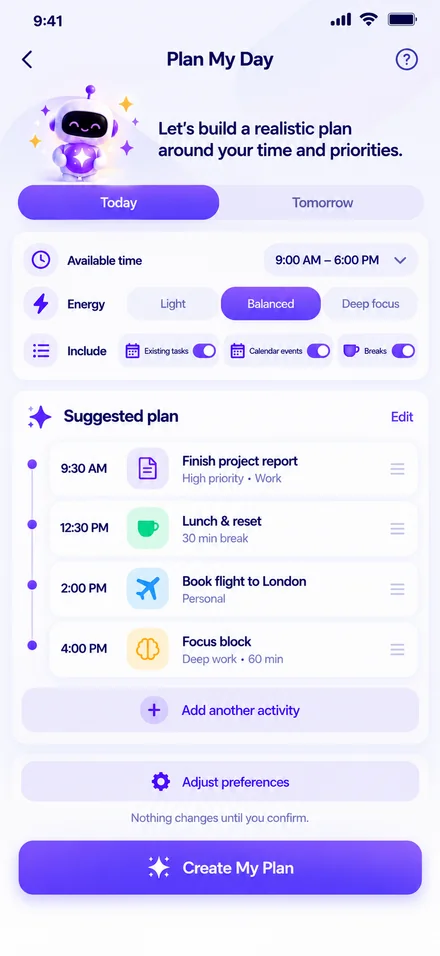
DoTicker Plan My Day screen
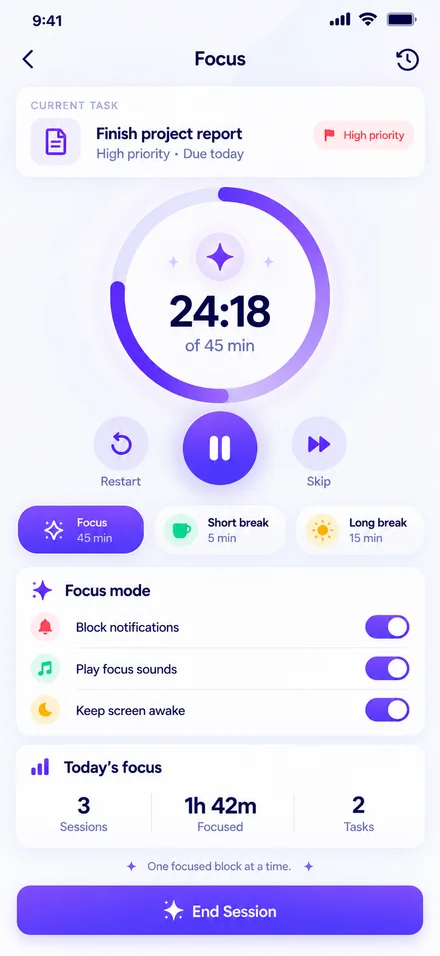
DoTicker Focus Pomodoro screen
Interactive App Tour

Plan Tasks, Track Habits & Stay Focused

Explore each signature capability crafted specifically to eliminate overwhelm and help you make real daily progress.

Signature Feature

Build a realistic schedule around your actual hours.

Most task lists fail because they dump 30 tasks into a single day without considering the clock. "Plan My Day" takes your available window, your energy state, and weaves in automated buffers for lunch and breaks.

  • Energy-Based Allocation Select between Light, Balanced, or Deep Focus modes to match your cognitive stamina.
  • Automated Break & Buffer Scheduling Keep sanity with automatic 15-minute breathers and dedicated lunch blocks.
  • Instant One-Tap Rescheduling When life happens, recalculate the remaining day in one tap without guilt.
Realistic Timelines Energy Modes Break Buffers No Overload
DoTicker Plan My Day Mobile View

AI Day Plan Activated

9:00 AM – 6:00 PM • 4 Tasks & 2 Breaks

Natural Voice AI

Speak naturally. DoTicker sets the task, time & priority.

Walking, driving, or in a rush? Tap the microphone and say: "Remind me to call the accountant tomorrow at 3 PM, high priority." DoTicker automatically parses the date, sets the notification, and files it in your Finance category.
  • Natural Language Due Date Extraction Understands "tomorrow morning", "next Monday at 4", or "every 2 weeks".
  • Intelligent Priority & Tag Assignment Automatically flags Urgent, Work, or Personal based on context.
  • Hands-Free Convenience Capture fleeting thoughts before they disappear into the ether.
Speech Recognition NLP Parsing Fast Capture
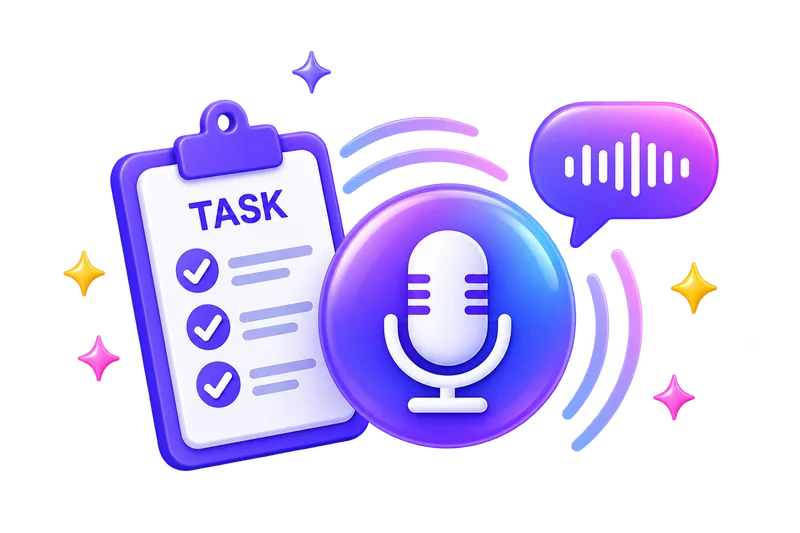
Talk to Add 3D Microphone Illustration

"Talk to Add" Voice Input

Speech-to-text parsed in 300 milliseconds

Deep Work Engine

Immerse in flow state with zero interruptions.

Multitasking kills efficiency. Choose a single task, set your focus duration (25m, 45m, or custom), switch on ambient background noise (soft rain, forest, or white noise), and silence incoming distractions.

  • Customizable Interval Timers Classic 25-minute Pomodoro, 45-minute deep focus sprints, or open-ended timers.
  • Built-in Ambient Soundscapes Gentle rainfall, soothing café ambience, and white noise directly in-app.
  • Session Tracking & Focus Logs Review total daily focus minutes and track your longest uninterrupted stretches.
Pomodoro Ambient Sound Focus Streak
DoTicker Focus Pomodoro Mobile Screen

Deep Work Active

Block Notifications • Screen Kept Awake

Habit Mastery

Build routines that actually stick over time.

Form positive habits through visual consistency. Log your morning workouts, daily hydration, reading, or meditation. Watch your streak fire burn brighter and review monthly calendar heatmaps.
  • Visual Streak Counters & Fire Badges Feel the dopamine hit of ticking off your habits day after day.
  • Forgiveness Grace Days Missed a day due to travel or illness? Use a freeze token so you never lose morale.
  • Morning & Evening Routine Bundles Group habits together into cohesive rituals to start and end your day strong.
Daily Streaks Calendar Heatmaps Grace Tokens
Habit Calendar Illustration

14-Day Consistency Streak

92% Completion Rate This Month

Organized Workflows

Custom tailored for Professionals, Students & Families.

Separate work deadlines from personal errands effortlessly. DoTicker offers pre-configured categories tailored to your life stage, plus unlimited custom categories with rich icons and colors.
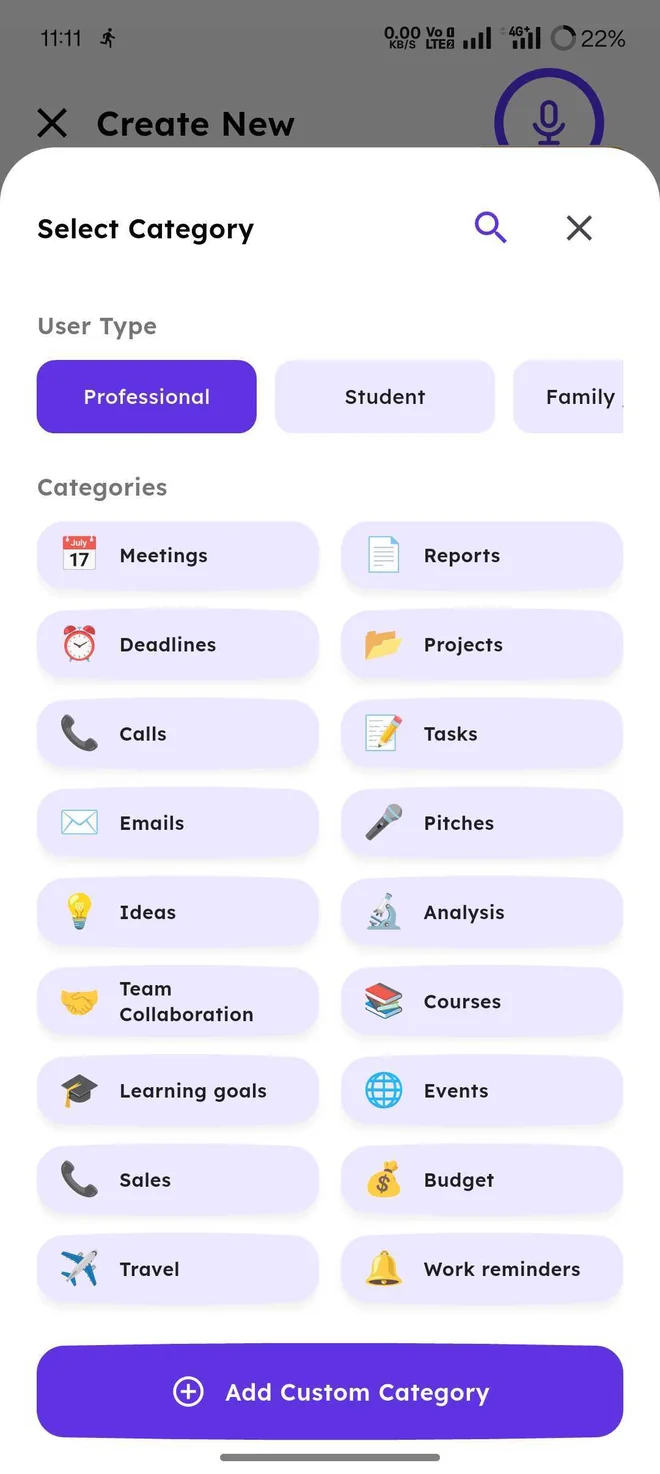
  • Role-Based Presets Switch views seamlessly between Meetings, Deadlines, Courses, Homework, or Home.
  • Custom Icons & Color Palette Personalize each task type with custom iconography for instant visual distinction.
  • Quick Filter Views One tap isolates work tasks when in office mode, keeping your personal life out of sight.
Role Presets Custom Icons Fast Filtering
Category Selector Screen in App

Smart Categorization

Instant Filtering Across Work & Life

Actionable Analytics

See your velocity and export professional PDF & CSVs.

Gain tangible proof of your hard work. Understand how many tasks you closed this week, your most productive time of day, and generate beautiful formatted PDF or CSV summaries for client reviews or personal retrospectives.
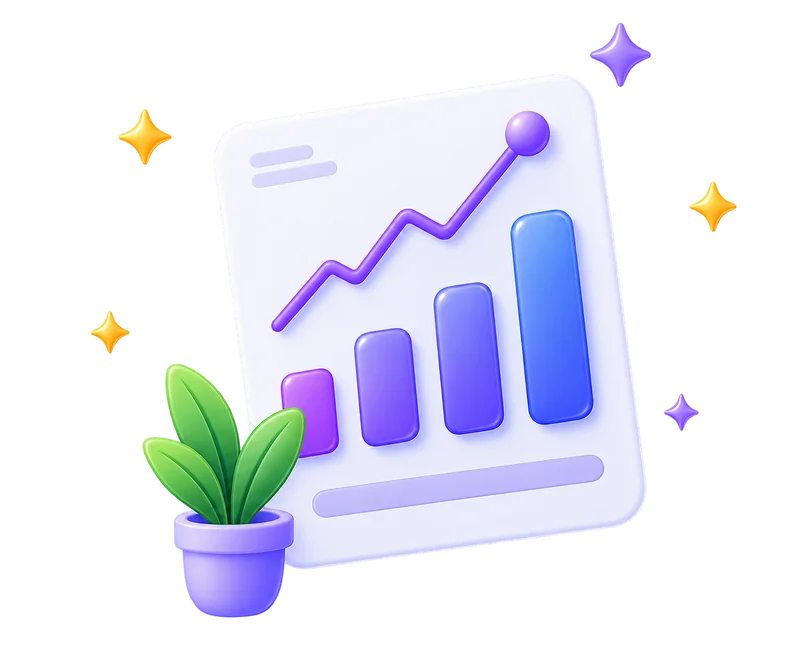
  • Completion Velocity & Trends Track your week-over-week completion rate and celebrate peak productivity streaks.
  • Time & Category Distribution Visualize where your energy went across Projects, Meetings, Health, and Errands.
  • Instant 1-Click PDF & CSV Export Download clean, branded audit logs ready to share with managers, clients, or keep for yourself.
PDF Exports CSV Data Productivity Velocity
3D Productivity Report Chart Illustration

Weekly Report Ready

32 Tasks Finished • Export to PDF / CSV

Live Interactive Demo

Try the Task Checklist Demo

Click to check off sample tasks and watch how smooth and responsive DoTicker feels.

Today's Focus Plan

Today, 9:00 AM
1 of 3 completed 33%
Comprehensive Toolkit

Reminders, Recurring Tasks & Everyday Planning Tools

Every tool you need to stay on top of work, home, habits, and self-care without getting bogged down.

Intelligent Timed Reminders

Set custom notification buffers (10 min, 30 min, or 1 day prior) with distinct alert tones so you never drop an important commitment.

Flexible Recurring Schedules

Automate repeating tasks: daily routines, alternate weekdays, monthly rent payments, or custom bi-weekly intervals with automatic rollover.

2-Way Calendar Synchronization

Integrates seamlessly with Google Calendar and Apple Calendar. See your scheduled meetings and daily tasks united in one clean timeline.

Subtasks & Nested Checklists

Break daunting projects into bite-sized achievable steps. Monitor child-item progress rings and celebrate incremental wins.

Offline-Ready & Secure

Works completely without internet connectivity. Changes save locally in real-time and sync securely whenever you re-establish network access.

Modern Dark & Light Themes

Handcrafted ergonomics with true black OLED dark mode and high-contrast light mode tailored to reduce eye strain day and night.

Simplicity in Motion

How to Get Started with DoTicker

Three steps to transform overwhelming task lists into clear, achievable momentum.

01

Capture in Seconds

Type quickly or speak naturally with "Talk to Add". DoTicker captures ideas instantly before they slip your mind.

02

Shape Your Real Day

Open "Plan My Day" to map tasks to your available hours, buffer realistic breaks, and choose your focus intensity.

03

Focus & Achieve

Turn on focus mode with rain sounds, lock out distractions, finish your tasks, and watch your habit streaks grow.

Got Questions?

Frequently Asked Questions

Everything you need to know about DoTicker, setup, and features.

Yes! You can download DoTicker completely free on iOS and Android. Free accounts enjoy tasks, reminders, basic day planning, habit tracking, and focus timers. Pro upgrades offer unlimited voice tasks, advanced PDF reports, and additional ambient soundscapes.

Ready to Take Control of Your Day?